At the end of my last article, I teased that I’d be exploring BMAD — an open-source method for structuring AI-assisted development. I’ve been using it for a few months now, and it’s changed how I think about building software with AI. Here’s what I’ve learned.
 AI-generated image via Google Nano Banana 2
Table of contents
Open Table of contents
What is BMAD?
BMAD stands for Build More Architect Dreams. It’s a free, open-source framework that turns AI tools into a structured development team — complete with specialized agents, documented workflows, and checkpoints that force you to think before you build.
The key insight is simple: AI tools are only as good as the instructions you give them. If you open Claude Code and say “build me an app,” you’ll get something. But it probably won’t be what you actually needed, because you skipped the part where you figure out what you actually need.
BMAD applies the same methods that work in real teams at real companies — product briefs, architecture reviews, sprint planning — and makes them practical for solo developers working with AI. It’s not a prompt. It’s a methodology.
Think of it this way: in a large organization, you wouldn’t let a developer start coding without requirements, without an architect reviewing the approach, without a product manager validating that you’re solving the right problem. BMAD brings that same discipline to AI-assisted development — except the PM, the architect, and the reviewer are all AI agents with specialized expertise.
The specialized agents
One of BMAD’s most interesting design choices is that it doesn’t use a single generic AI. Instead, it defines six specialized agents, each with a distinct role:
| Agent | Name | Role |
|---|---|---|
| Analyst | Mary | Discovery, brainstorming, research, brief creation |
| Product Manager | John | Requirements, PRDs, roadmaps, epics and stories |
| Architect | Winston | System design, technical specs, architecture decisions |
| Developer | Amelia | Story prep, implementation, code reviews |
| UX Designer | Sally | User experience specs and design |
| Technical Writer | Paige | Documentation, standards, diagrams |
There’s also a BMad Master agent that can orchestrate multi-agent discussions — BMAD calls this “Party Mode.” You describe a problem, and the master picks the relevant agents to debate it. The PM might push for a feature, the architect might flag a scalability concern, and the developer might suggest a simpler implementation. They genuinely disagree with each other, which surfaces blind spots that a single conversation never would.
This isn’t just a gimmick. When I used Party Mode to evaluate the authentication approach for a side project, the architect flagged a session storage concern that the developer agent had glossed over. Different perspectives catch different problems — exactly like a real team.
The workflow: from idea to code
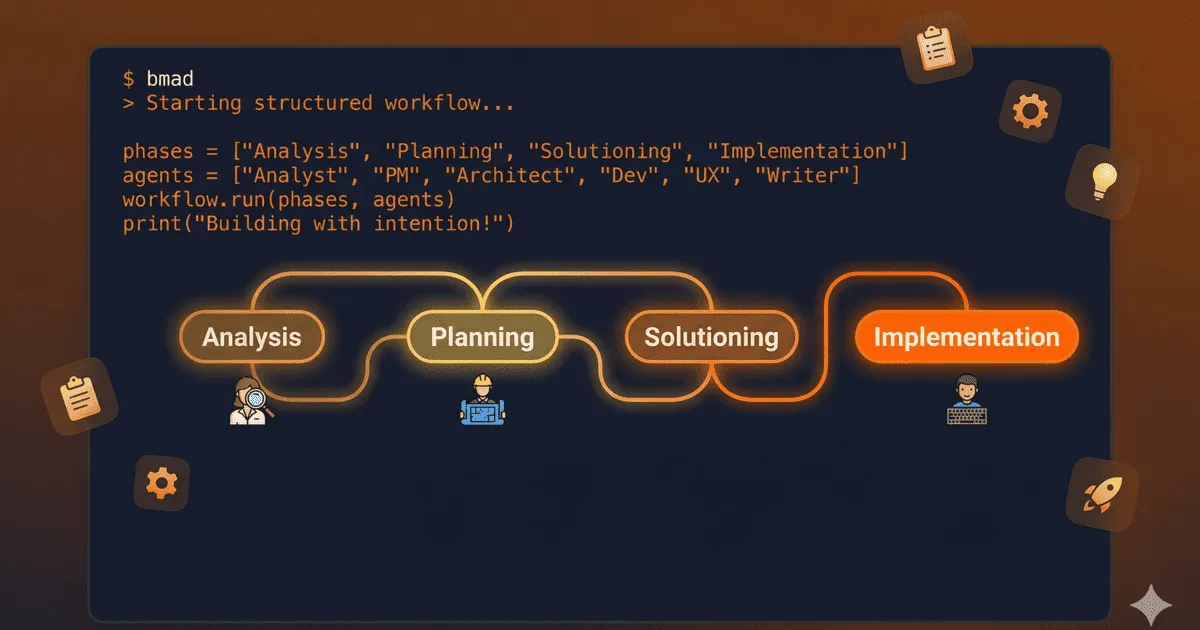
BMAD breaks development into four phases, and each one feeds into the next:
Phase 1 — Analysis
This is where you validate your idea. The Analyst agent acts as a facilitator, not a decision-maker. It asks you questions, challenges your assumptions, and helps you produce:
- A product brief that captures the concept
- A PRFAQ (press release / FAQ) that stress-tests whether the idea is worth building
The key difference from just chatting with AI: you generate the ideas. The agent structures and pressure-tests them.
Phase 2 — Planning
The Product Manager takes the brief and turns it into:
- A PRD (Product Requirements Document)
- UX specifications from the UX Designer
Everything downstream inherits the clarity — or the vagueness — of this phase. If your requirements are fuzzy here, your code will be fuzzy later. BMAD forces you to be specific before a single line is written.
Phase 3 — Solutioning
This is the phase that makes BMAD fundamentally different from vibe coding. The Architect translates “what to build” into “how to build it” — and documents it before implementation starts.
Why does this matter? Without solutioning, different parts of your project might end up with conflicting technical decisions. One module uses REST, another uses GraphQL. One uses local state, another reaches for a database. Catching these alignment issues in solutioning is 10x faster than discovering them during implementation.
The output is architecture documentation plus a backlog of epics and stories — ready for development.
Phase 4 — Implementation
Now the Developer agent takes over, working through stories in sprints:
- Story preparation — clarifying scope and acceptance criteria
- Implementation — writing the actual code
- Code review — the agent reviews its own output against the architecture
- Checkpoint preview — you review changes in a comprehension-optimized sequence
That last point is worth highlighting. BMAD doesn’t just dump a file diff at you. It presents changes in the order that makes them easiest to understand — starting with the “why,” then the high-risk areas, then the details. It’s a genuinely thoughtful review experience.
For smaller tasks, there’s also a Quick Dev mode that skips phases 1–3 and goes straight to implementation with minimal planning. Not everything needs the full ceremony.
BMAD + Claude Code: the default combo
BMAD works with several AI tools, but in my experience, Claude Code is the best match. The combination of BMAD’s structured workflow and Claude Code’s built-in tools — file operations, shell access, web search — creates something that feels like a complete development environment.
If you’ve read my previous article on Claude Code, you know that the Max subscription plans are dramatically cheaper than API usage. That’s important here because BMAD is token-hungry. Each phase involves extended conversations — analysis, architecture reviews, multi-agent discussions — and those conversations consume a lot of context.
On my Max 5x plan, a full BMAD workflow for a medium-sized feature can eat through a significant chunk of my daily allowance. For a larger project — the kind where BMAD really shines — you’ll want the headroom. It’s still far cheaper than API billing, but don’t expect the same casual usage pattern as a quick Claude Code session.
That said, the token cost is justified. The documentation BMAD produces — the PRD, the architecture specs, the story breakdowns — saves you from the much more expensive problem of building the wrong thing and having to start over.
The honest comparison: BMAD vs. vibe coding
Here’s where I want to be straightforward, because BMAD isn’t the right choice for everything.
When BMAD shines
- Medium to large projects where architecture decisions compound. The solutioning phase alone pays for itself by preventing integration nightmares.
- Projects you’ll maintain long-term. The documentation BMAD generates isn’t just process overhead — it’s a knowledge base you’ll reference for months.
- When you’re building something you haven’t built before. The structured analysis forces you to confront what you don’t know early, when it’s cheap to change direction.
When vibe coding is fine
- Small scripts or utilities. If the whole thing fits in one file, you don’t need a PRD.
- Quick prototypes. When you’re exploring an idea and the code is disposable, the overhead isn’t worth it.
- Bug fixes and minor features in an existing codebase. Claude Code alone handles these beautifully.
The time trade-off
Let me be direct: BMAD takes time. Going through all four phases for a project can take hours of conversation before you write a single line of code. Analysis, planning, solutioning — each phase involves back-and-forth, revisions, and deliberate thinking.
With vibe coding, you’d be writing code in minutes. And for a small project, that code might be perfectly fine.
But for anything substantial, I’ve found that the time invested upfront with BMAD saves multiples in avoided rework. The question isn’t “does BMAD take longer?” — it’s “do you want to spend the time thinking before coding, or debugging after?”
Here’s my rule of thumb:
| Project scope | Approach |
|---|---|
| Quick fix / small task | Claude Code alone |
| Small feature | Claude Code + Quick Dev mode |
| Medium feature | BMAD phases 2–4 |
| New project | Full BMAD workflow |
Getting started
BMAD requires Node.js v20+ and installs with a single command:
npx bmad-method installIt sets up the agents and tools in your project. From there, you can start with the help tool to discover what’s available and follow the workflow at your own pace.
The project is fully open-source and MIT-licensed — no paywalls, no gated features. Everything is on GitHub.
Wrapping up
BMAD has shifted how I approach larger projects with AI. It’s not a magic wand — it’s a discipline. It forces you to ask the right questions, document the right decisions, and build with intention rather than momentum.
For small tasks, Claude Code on its own is more than enough. But when you’re building something that matters — something you’ll maintain, extend, and depend on — BMAD brings the structure that turns AI from a fast typist into a genuine development partner.
If you’re already comfortable with Claude Code, BMAD is a natural next step. Start with a side project, run the full workflow once, and see how it feels. The overhead might surprise you — but so will the clarity of what you build.
Thanks for reading! If you have questions or want to share your own experience with BMAD, feel free to reach out via email or LinkedIn.
Next up, I’ll be diving into OpenClaw — an open-source tool I’ve been experimenting with. I’ll share what it does, where it excels, and the problems it solves (and the ones it doesn’t). If you liked this kind of honest, hands-on breakdown, you’ll enjoy that one too. See you in two weeks!