At Digilac, we help organizations get more out of their tools — including AI assistants. One challenge we kept running into: when you ask Claude about Swiss public tenders, it has no idea what you’re talking about. The data is out there, on SIMAP.ch, but AI assistants can’t access it. So I built a bridge: simap-mcp.
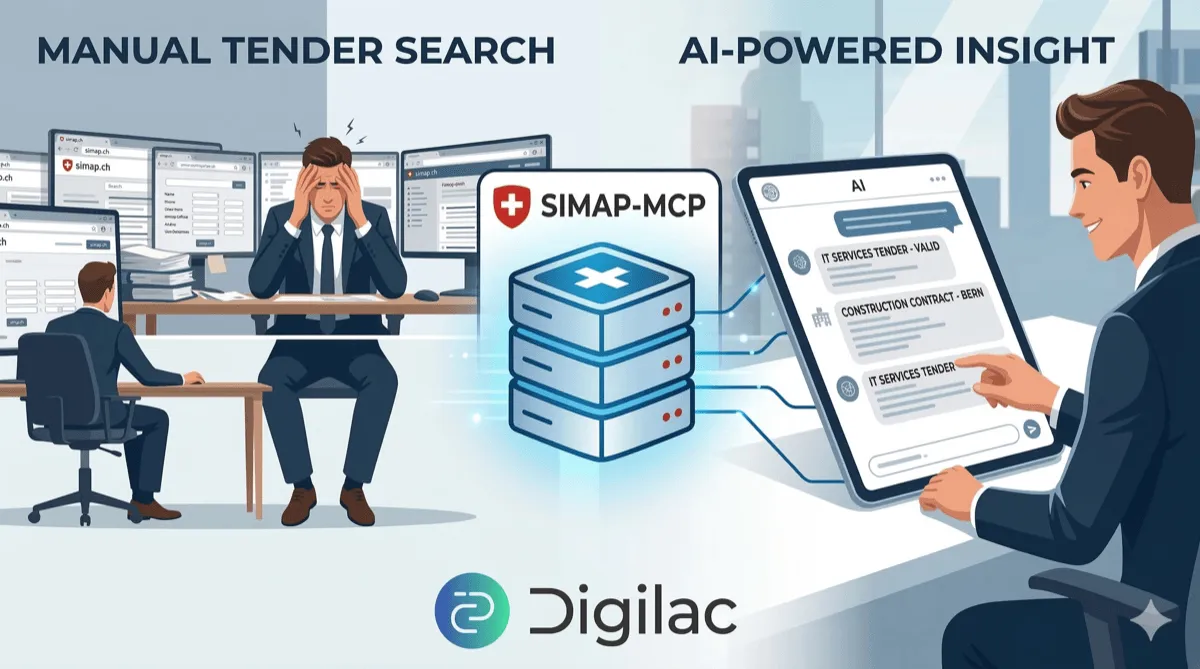 AI-generated image via Google Nano Banana 2
Table of contents
Open Table of contents
What is MCP?
MCP stands for Model Context Protocol, an open standard introduced by Anthropic that lets AI assistants connect to external tools and data sources. Think of it as a plugin system for LLMs.
Without MCP, an AI assistant only knows what’s in its training data and whatever you paste into the conversation. With MCP, it can call tools — search a database, fetch an API, read a file — and use the results to answer your questions.
An MCP server exposes a set of tools (functions the AI can call) over a standardized protocol. You configure your AI client (Claude Desktop, Claude Code, etc.) to load the server, and from that point on, the AI can use those tools automatically when relevant.
The key insight: you don’t need to change how you talk to the AI. You just ask your question, and the AI decides which tools to call, in what order, to give you a good answer.
What is SIMAP.ch?
SIMAP.ch is Switzerland’s official public procurement platform. It’s where federal, cantonal, and municipal institutions publish tenders — construction projects, IT services, supply contracts, and more. If you’re a company looking for public contracts in Switzerland, SIMAP is where you look.
The platform has a public API, but it’s not the most approachable thing to work with. You need to know CPV codes (Common Procurement Vocabulary), BKP codes (for construction), canton codes, process types, publication types… there’s a lot of vocabulary to get right before you can find anything useful.
That’s exactly where an AI assistant can help — if it has access to the data.
What simap-mcp does
simap-mcp is a TypeScript MCP server that wraps the SIMAP public API and exposes it as a set of tools Claude can call. Once configured, you can have conversations like:
Show me new IT tenders published this week in canton Vaud
Find construction contracts in Geneva related to road infrastructure
What’s the publication history of this tender?
Behind the scenes, Claude figures out which tools to call and what parameters to pass. You don’t need to know the API — you just ask in plain language.
The server exposes 14 tools:
| Tool | What it does |
|---|---|
search_tenders | Search tenders by keyword, date, type, canton, CPV code… |
get_tender_details | Get full details of a specific tender |
search_cpv_codes | Search CPV codes by keyword |
browse_cpv_tree | Navigate the CPV hierarchy |
list_cantons | List all Swiss cantons with their codes |
list_institutions | List public institutions that publish tenders |
get_publication_history | Get the publication history of a project |
search_proc_offices | Search procurement offices |
| … and more for BKP, NPK, OAG codes |
How to use it
You’ll need Node.js 24 LTS installed on your machine. Then, open Claude Desktop, go to Settings → Developer → Edit Config, and add the following to your config file:
{
  "mcpServers": {
    "simap": {
      "command": "npx",
      "args": ["-y", "@digilac/simap-mcp"]
    }
  }
}
Once configured, restart Claude Desktop and start asking about Swiss public tenders.
How it’s built
The server is written in TypeScript and uses the official MCP SDK. Each tool is defined with a name, a description (which the AI uses to decide when to call it), and a JSON Schema for its parameters (which the AI uses to construct the call).
A simplified example of what a tool definition looks like:
server.tool(
  "list_cantons",
  "List all Swiss cantons with their codes",
  {},
  async () => {
    const cantons = await client.listCantons();
    return { content: [{ type: "text", text: formatCantons(cantons) }] };
  }
);
The actual SIMAP API calls are handled by a thin HTTP client in src/api/client.ts. The main complexity is in translating between what the AI sends (natural-language-friendly parameters) and what the API expects (specific enums, UUIDs, date formats).
One thing that took some thought: the tool descriptions matter a lot. The AI reads them to decide which tool to use. A vague description leads to wrong tool choices. A precise description — including when not to use a tool — leads to much better results.
What I learned
MCP is surprisingly easy to get started with. The SDK handles the protocol layer, so you mostly just write functions and describe them. The barrier to building an MCP server is lower than I expected.
The hard part is API design, not protocol plumbing. Getting the tool boundaries right — what should be one tool versus two, how to handle pagination, what to return when there are no results — that’s where most of the design work went.
LLMs are good at composing tools. I was skeptical at first, but watching Claude chain multiple tool calls to answer a complex question (search → get details → get history) is genuinely impressive. The model figures out the sequence on its own.
Claude Code was a genuine productivity multiplier. I leaned heavily on Claude Code throughout this project — for scaffolding the initial structure, working through the API mapping, and iterating on tool descriptions. It’s one thing to know a tool exists; it’s another to build something real with it and see where it actually helps.
Thanks for reading! If you have questions or feedback, feel free to reach out via email or LinkedIn. Next up, I’ll dig into how I used Claude Code throughout this project — stay tuned.
Links
- GitHub repo — source code and full documentation
- DeepWiki — AI-generated documentation for the repository
- npm package —
@digilac/simap-mcp - MCP Registry listing